

 Loading...
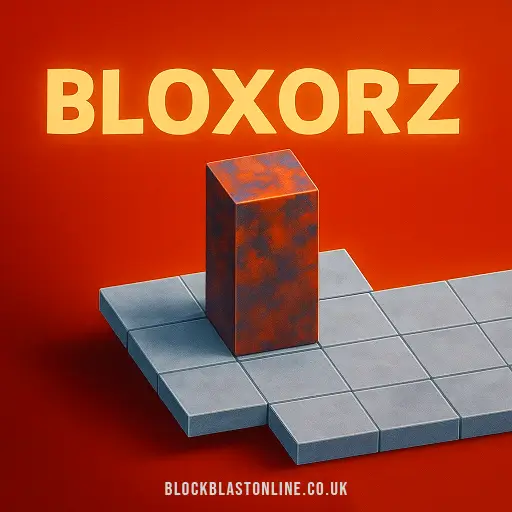




Play Bloxorz online for free and dive into a world of fun puzzles! Guide your block through tricky paths and reach the square hole without falling off the edge. Each move makes your block flip and turn, so think carefully before you roll! Challenge your brain and see how many levels you can complete. It's a great way to have fun while sharpening your logic skills. Are you ready to become a puzzle master? Let's get rolling!
What Is Bloxorz?
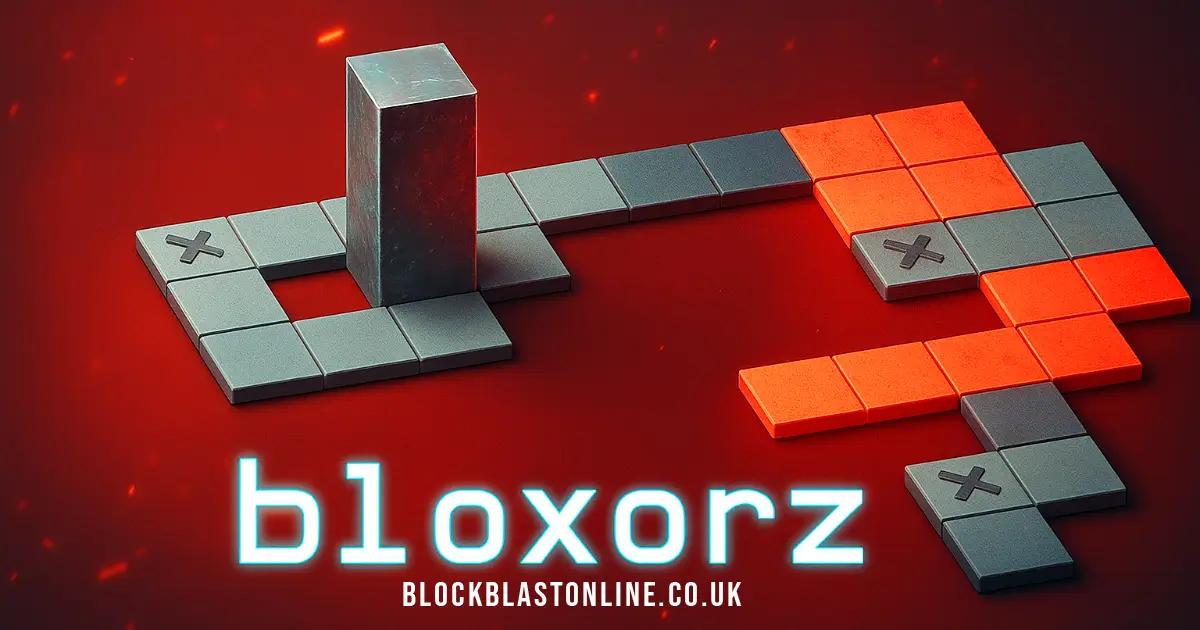
Bloxorz is a fun and challenging puzzle game where you guide a rectangular block across platforms to make it fall into a square hole. This game was created by Damien Clarke from DX Interactive and was first released in 2007. It quickly became popular for its tricky puzzles and has been a favorite for kids who love brain games.
The game has 33 levels, each getting harder as you go. You use the arrow keys to move the block, but be careful not to fall off the edges! There are special tiles and switches that add complexity to the puzzles. Some switches open or close bridges, while others can split your block into two smaller blocks, which you can control individually.
Playing Bloxorz helps develop important skills like problem-solving, spatial reasoning, and strategic planning. It's a great way to challenge your brain while having fun!
Bloxorz Gameplay Mechanics
In this fun puzzle game, your goal is to guide a block into a square hole at the end of each level. Use the arrow keys to move it around the platforms. Be careful not to let it fall off the edges, or you'll have to start the level over.
As you play, you'll encounter different types of switches and tiles that add exciting challenges. There are soft switches, which look like circles, and they activate when any part of the block touches them. Hard switches are x-shaped and require the block to stand upright to work. There's also a special switch that looks like parentheses; it teleports the block and splits it into two smaller blocks that you can control separately.
Orange tiles are fragile, so if your block stands upright on one, it will fall through. Watch out for these tricky spots! When your block splits into two smaller pieces, you can choose which one to move by pressing the spacebar. These smaller blocks can activate soft switches but aren't heavy enough for hard ones, and they can't go through the exit hole.
Remember to note the passcode displayed in the top right corner of each level. You can use this code later to return to that level without starting over from the beginning.
Play Bloxorz on Any Device
You can play this game directly in your web browser on desktop, laptop, tablet, or mobile.
How to Play Bloxorz: A Beginner's Guide
Welcome to this fun and challenging puzzle game! Your mission is to guide a rectangular block across platforms and make it fall into the square hole at the end of each level. Follow these simple steps to become a pro:
- Use the arrow keys to roll the block around. Be careful not to let it fall off the edges, or you'll have to start the level over.
- Each move changes how your block is positioned, so think ahead about where it will land.
- You'll encounter special tiles like switches and fragile tiles. Soft switches (octagons) activate when any part of your block touches them, while hard switches (X-shaped) need your block to stand upright.
- Watch out for orange tiles! They're fragile and will break if your block stands on them vertically.
- Some levels have teleport switches that split your block into two smaller blocks. You can control these separately and rejoin them by placing them next to each other.
- Only a complete block can finish a level by falling into the hole, so make sure both parts are together before reaching the end.
- If you get stuck, remember that each level has a passcode you can use to return later without starting over from the beginning.
Have fun solving puzzles and see if you can complete all the levels!
Mastering Bloxorz Controls
To successfully navigate the game, understanding the controls is essential. Here is a comprehensive guide to help you master them:
- Use the arrow keys to move the block around the platform. The left, right, up, and down keys will roll the block in the corresponding direction.
- Be cautious not to roll off the edges of the platform as this will result in restarting the level.
- When your block splits into two smaller blocks, you can switch between them by pressing the spacebar. This allows you to control each small block individually.
Advanced Controls:
- Soft switches (octagon shapes) can be activated by any part of your block, while heavy switches (x-shaped) require your block to stand upright on them.
- The teleport switch, shaped like parentheses (), will split your block into two smaller blocks and move them to different locations.
- Orange tiles are fragile and will collapse if your block stands vertically on them.
Pro Tips to Master Bloxorz
Ready to become a pro at this awesome puzzle game? Follow these tips to navigate through all the tricky levels!
- Plan Your Moves: Before making a move, think about how your block will land. Remember, each move changes its orientation, so plan ahead to avoid falling off.
- Understand the Switches: There are different types of switches. Soft switches can be activated by any part of your block, while heavy switches need the block to stand upright. Use them wisely to open bridges and advance.
- Handle Fragile Tiles Carefully: Orange tiles are fragile. Avoid standing your block vertically on them or you'll fall through!
- Master the Teleport Switch: The () switch splits your block into two smaller ones. Control them separately to solve puzzles, but remember only a complete block can finish the level.
- Use Passcodes: Each level has a passcode in the top right corner. Note it down to jump back to that level anytime without starting over.
- Practice Makes Perfect: Some levels are tougher than others. Don’t worry if you don’t get it right the first time. Keep practicing and you’ll improve!
With these tips, you'll be rolling through levels like a champ in no time. Have fun and keep challenging yourself!
Key Features That Make Bloxorz Special
This game is packed with unique features that make it both challenging and fun for players of all ages.
- Simple Controls: Use the arrow keys to move the block around the platform. It's easy to learn but hard to master!
- Exciting Levels: There are 33 levels, each with its own unique challenges and puzzles to solve.
- Variety of Switches: Discover different types of switches that affect the game in various ways. Soft switches can be activated by any part of the block, while heavy switches require the block to stand upright.
- Special Tiles: Watch out for fragile orange tiles that can break if you stand on them vertically. Plan your moves carefully!
- Teleportation Feature: Use teleport switches to split your block into two smaller blocks, adding a new layer of strategy.
- Passcodes for Levels: Each level has a passcode, allowing you to return to any stage without starting over.
- Spatial Challenges: Navigate through platforms of different shapes and sizes, requiring strategic planning and spatial reasoning.
- Puzzle Complexity: As you progress, new elements are introduced, making each level more challenging than the last.
Play Bloxorz Online for Free
Enjoy the classic puzzle game directly in your web browser with a seamless, browser-adapted version. This online rendition is compatible with popular browsers such as Chrome, Firefox, Safari, and Edge, ensuring you can play on virtually any device without the need for downloads or installations. The game retains all its challenging features, including various switches and tiles that add complexity to each level. Whether you're tackling fragile orange tiles or navigating teleporting switches, the game offers a rich experience that tests your strategic planning and problem-solving skills. Dive into the engaging levels and see if you can conquer all 33 stages from the comfort of your browser.
Is Bloxorz Free to Play?
Yes, this game is completely free to play online. There are no fees or in-app purchases involved, allowing players to enjoy all its challenging levels without any cost. All games on the site are free, providing a great opportunity for players to enhance their problem-solving and strategic thinking skills without financial barriers. Enjoy the benefits of free play by diving into this engaging puzzle experience anytime, anywhere.
Play Bloxorz Unblocked
Play Bloxorz Unblocked on blockblastonline.co.uk. Whether you're at school, at work, or on a break—you can play without any restrictions. Enjoy the game with seamless access and no interruptions, making it perfect for both quick sessions and extended gameplay. Experience all the challenging levels and unique features without any barriers.
Bloxorz on GitHub
No need to search on GitHub, our version works on all devices at school or work. While competitors focus on gameplay instructions and tips, we ensure accessibility and ease of play without needing any external downloads or installations.
Download Bloxorz (PC, iOS, Android)
Many fans enjoy downloading it for an even smoother experience. Here’s how:
- Android: Open the Google Play Store and tap Install.
- iOS: Open the App Store on your iPhone or iPad and tap Get.
- Bloxorz APK: Android users who can’t use Google Play can find and download the APK from trusted sites to install offline.
- PC Steam: If you like playing on a computer, download the game for free via Steam and enjoy a bigger screen and controller support.
Bloxorz Extension
Installing the Chrome extension offers a seamless way to enjoy your favorite puzzle game directly from your browser. This extension allows for instant play, so you can dive into the game without any delays. Additionally, it may support offline modes, enabling you to continue playing even when you're not connected to the internet. With easy access right from your browser, it's never been more convenient to challenge yourself with this engaging game. Download the extension today and start solving puzzles anytime, anywhere!
Similar games to Bloxorz
If you enjoy the strategic and puzzle-solving elements of Bloxorz, you might find these games equally engaging:
FAQs about Bloxorz
How do you play the game?
Use the arrow keys to move the block into the hole without falling off the edges.
What is the goal of the game?
The aim is to get the block to fall into the square hole at the end of each stage.
How many levels are there?
There are 33 levels, each getting trickier as you progress.
What are switches and what do they do?
Switches activate bridges or teleport blocks; some need the block upright to work.
What happens if you fall off?
If you fall off, you have to restart the level.
Can you play on a phone?
Yes, you can add it to your home screen on iOS or install it on Android.
Are there any special tiles?
Yes, orange tiles are fragile, and special squares give superpowers like teleporting.
Who made this game?
The game was created by Damien Clarke from DX Interactive.
How old is this game?
The game has been around since 2007 and is a classic logic puzzle.
How long does it take to beat all levels?
The fastest time is just over 10 minutes, but under 30 minutes is impressive.
What skills does it help develop?
It helps with spatial reasoning, problem-solving, and strategic planning.
Conclusion
Bloxorz is a fantastic game that combines fun and challenge in a way that keeps kids engaged and excited. With its simple controls and progressively tricky levels, it offers a perfect mix of strategy and logic that can captivate young minds for hours. The thrill of maneuvering the block through complex paths and activating switches to solve puzzles makes every level an adventure.
If you're ready for a brain-teasing journey, give Bloxorz a try! It's available online, making it easy to access anytime you want to play. Challenge yourself to beat all 33 levels, and don't forget to share the fun with your friends. Who knows, you might just become the next Bloxorz master!